
Our Life: Now & Forever Crash Fix: Launch & Error Guide
Fix Our Life: Now & Forever crashes, launch blocks, script errors, and Android freezes with verified GB Patch Games fixes for PC and mobile.
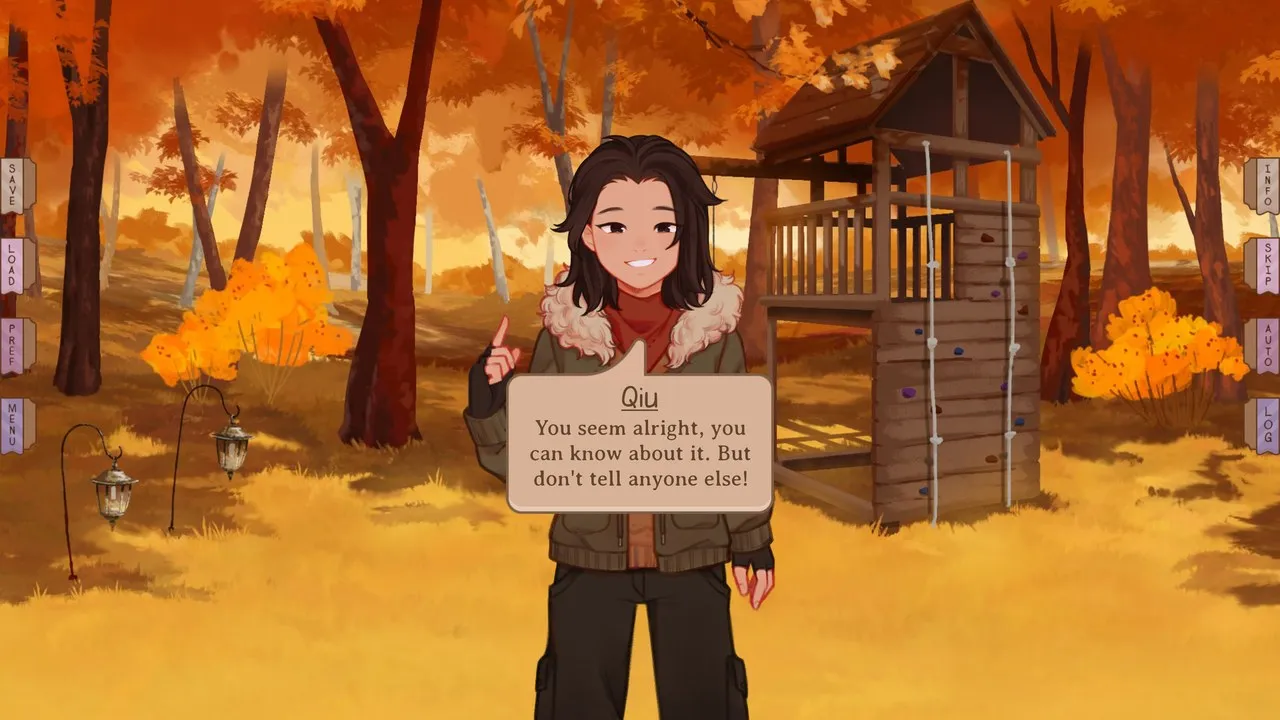
Most crash and launch problems in Our Life: Now & Forever come down to four verified causes: antivirus false positives blocking the Python runtime, outdated graphics drivers on PC, incompatible saves carried over from earlier demos, or memory and animation strain on Android devices. As of 2026-11-28, GB Patch Games has released Early Access Steps 1 and 2 (v0.1.7.2) on Steam and itch.io for Windows, macOS, Linux, and Android.
Before changing files, check the bottom-left corner of the title screen to confirm you are running v0.1.7.2. Several Steam players hit missing Moments or broken menus simply because they downloaded the older Demo listing instead of the Early Access release. Whether a crash interrupts character creation or a Step 2 scene in Golden Grove with Qiu Lin and Tamarack Baumann, use the fixes below for your platform.
Quick Crash and Error Diagnosis
Match your exact symptom in the table below before deleting files or starting over.
| Symptom | Platform | Likely Cause | Verified Fix |
|---|---|---|---|
| Game blocked or quarantined before opening | Windows / PC | Antivirus false positive on Python files | Trust the game folder in your antivirus or allow “Run anyway” |
| Won’t launch after updating or adding DLC | Windows / macOS / Linux | Corrupted install or misplaced .rpa files |
Perform a clean reinstall; put DLC .rpa files in the game folder |
| Broken visuals or crashes only on newer builds | Windows | Outdated GPU drivers | Update your video card drivers to the newest release |
| Script or traceback error on rollback or load | All platforms | Old-build save loaded on v0.1.7.2 |
Start a new save file instead of loading older demo saves |
| Closes without error or restarts device | Android | Older phone hardware or animation load | Turn off animations/transitions and set text speed to max |
| “App not installed” / invalid package error | Android | Previous APK still installed or low storage | Uninstall older builds, free space for the 1.2 GB APK, enable unknown sources |
Fix Launch Crashes and Blocked Files on PC
If Our Life: Now & Forever is not launching on Windows, macOS, or Linux, work through these verified checks in order rather than reinstalling blindly.
- Whitelist the game in your antivirus and firewall. Because the game runs on Python inside the Ren’Py engine, security scanners occasionally flag and quarantine executables at random. GB Patch Games confirmed on the official itch.io page that the files are safe. Tell your scanner to trust the game folder, or pause scanning briefly while downloading and unzipping, then turn protection back on. On Windows SmartScreen warnings, select See more (or Read more) and click Run anyway.
- Extract the full archive first. Players downloading the 1.2 GB Windows/Linux package from itch.io must unzip all files into a regular folder before launching. Running files directly from inside a compressed archive causes startup failures.
- Update your video card drivers. On Windows 10, players noticed older demo builds ran normally while newer itch.io and Steam versions broke with visual and launch problems. Installing the latest GPU drivers resolved the issue immediately.
- Do a clean reinstall. When the game still refuses to open after confirming the latest patch and DLC files, GB Patch Games recommends deleting the entire game folder and installing fresh from scratch. If you play on Apple hardware, check the macOS download guide to grab the dedicated
v0.1.7.2Mac package from itch.io, since Steam did not carry a Mac build during earlier testing. - Check DLC placement and version mismatch. For itch.io installs, both
Step1DLC.rpaandStep2DLC.rpabelong directly inside thegamesubfolder of your base installation directory—follow the how to install itch.io DLC walkthrough if expansion scenes fail to appear. If you are still deciding which expansions to add to your base build, see the Step 1 and Step 2 DLC breakdown.
Players occasionally hit itch.io server hiccups where downloads stall near 500 MB or display a false "none of this game's downloads is compatible with windows" notice. Retrying the Windows/Linux download later or installing the free Early Access base build through Steam bypasses storefront download glitches on Windows.

Our Life: Now & Forever Demo Gameplay | First Impressions
Resolve Script and Traceback Errors
Script pop-ups and rollback traceback errors usually appear right after a major update rather than during a clean playthrough. In player reports on itch.io, loading a save created on an older version pushed the game onto the character relationship setup screen, booted back to the title screen, and threw a script error the moment the player tried to roll back.
GB Patch Games states directly that saves from older builds rarely stay compatible across major updates, so starting a brand-new save file is the official fix for persistent script errors. Before wiping old progress, review the demo save transfer guide to see what carries over safely and what requires a fresh start.
If you want to clear outdated save files manually on itch.io builds, players locate them inside the game folder within your our-life-nf installation directory. Keep in mind a few practical pitfalls when moving between versions or storefronts:
- Steam and itch.io share saves on PC, not DLCs. Players testing both storefronts on the same computer noted that save data syncs between the two PC versions, while itch.io DLC purchases do not automatically register inside the Steam client. If you play across setups, check the Sync ID setup guide before moving files around.
- No manual persistent-file repair tool exists. GB Patch Games has not published a standalone tool for repairing corrupted saves or persistent data; a clean reinstall paired with a fresh save file remains the only verified recovery path.
- Report mid-scene script pop-ups with exact text. If a fresh
v0.1.7.2save triggers unexpected extra dialogue followed by an error screen—such as bugs reported in Step 2 Moments—capture the exact error text or a screenshot and send it to GB Patch Games on itch.io so the team can patch the broken script. Starting a fresh run after a clean reset is also a good time to track missed routes with the achievements guide.
Fix Android Crashes, Lag, and Install Failures
Mobile crashes and install errors account for most Early Access support tickets on the itch.io release page. Use the official 1.2 GB standalone Android package (Our Life NF (Early Access - Android), v0.1.7.2) rather than third-party launchers like Ren’Py Pocket, which players report crashing on startup.
Reduce In-Game Crashes and Rain Lag
Players on older phones (including the Samsung Galaxy A22 and Galaxy A32) report the game closing silently mid-scene, distorting audio beforehand, or even forcing a phone restart. Even newer devices such as the Samsung S24 Ultra can drop frames during the rain animation effect.
GB Patch Games recommends changing three settings inside Preferences from the main menu to lower memory and rendering load:
- Turn off all animation.
- Set text speed to max.
- Turn off transitions.
Because older phones can still crash occasionally in heavy scenes even with animations disabled, save manually at regular intervals so an unexpected close does not erase an entire Moment.
Fix APK Install Errors and Black Screens
If Android refuses to install the update or hangs on a black screen after the loading screen, check three device requirements confirmed by GB Patch Games and players:
- Remove older versions first. Uninstall any previous demo or earlier Early Access APK completely before opening the
v0.1.7.2installer. - Free up ample storage. Low device space causes both
"App not installed"errors and black screens on launch for the 1.2 GB package. - Allow non-Play Store installs and open from Files. Enable Android’s permission to install apps from outside the Play Store. When downloading through a mobile browser, tap the finished download notification’s Details button to open it inside your Files app and confirm Install.
As of 2026-11-28, GB Patch Games confirmed they are still investigating a subset of "App not installed as package appears to be invalid" errors affecting some older Android devices even after uninstalling prior builds.
Work Around Missing Step 1 and Step 2 Moments
Some Android Early Access players see base Step 1 and Step 2 Moments disappear from the selection board, leaving only locked DLC tiles visible. While GB Patch Games investigates a permanent patch, try the developer’s official workaround first: toggle dragging on, then tap the reset positions button in the top-right corner.
If resetting positions does not reveal the missing cards, players found a temporary workaround: leave dragging enabled and move a DLC tile or place stickers directly over where the hidden Moments sit without pressing reset, which lets you tap into the base scenes.
FAQ
Why does my antivirus flag Our Life: Now & Forever as a virus?
GB Patch Games confirmed that security scanners occasionally flag Python—the programming language used by the game’s engine—at random as a false positive. Adding the game folder to your antivirus trust list or pausing the scanner briefly during installation resolves the block safely.
Will deleting an older version delete my saved games?
According to GB Patch Games, uninstalling or deleting an older build of the game does not erase your saved games. However, saves from older demo builds rarely work cleanly with Early Access v0.1.7.2, so starting a fresh save file is still recommended if you hit script errors.
Why does Android say “App not installed as package appears to be invalid”?
This error most commonly happens when an older version of the game is still installed, your phone lacks enough free storage for the 1.2 GB build, or installs from outside the Play Store are blocked. As of 2026-11-28, GB Patch Games is also investigating remaining invalid-package errors occurring on certain older Android devices after a clean uninstall.
Related Articles
fixes
Our Life: Now & Forever Sync ID: How Cross-Save Works
Use the in-game Sync button and Sync ID to transfer Our Life: Now & Forever saves between devices, plus key version, Android, and DLC limits.
fixes
Our Life: Now & Forever Save File Location & Sync Guide
Find the Our Life: Now & Forever save folder in game/saves, learn how PC and Android saves carry over, and transfer files via the Sync button.
platforms
Is Our Life: Now & Forever on iOS? iPhone & iPad Status
Our Life: Now & Forever is not listed for iOS, iPhone, or iPad as of 2026-11-28. See official Windows, macOS, Linux, and Android availability.
Was this helpful?
Thanks for the feedback!