
Our Life: Now & Forever on Steam Deck: Status & Settings
Check Our Life: Now & Forever Steam Deck compatibility, native Linux build details, planned controller support, and best in-game display settings.
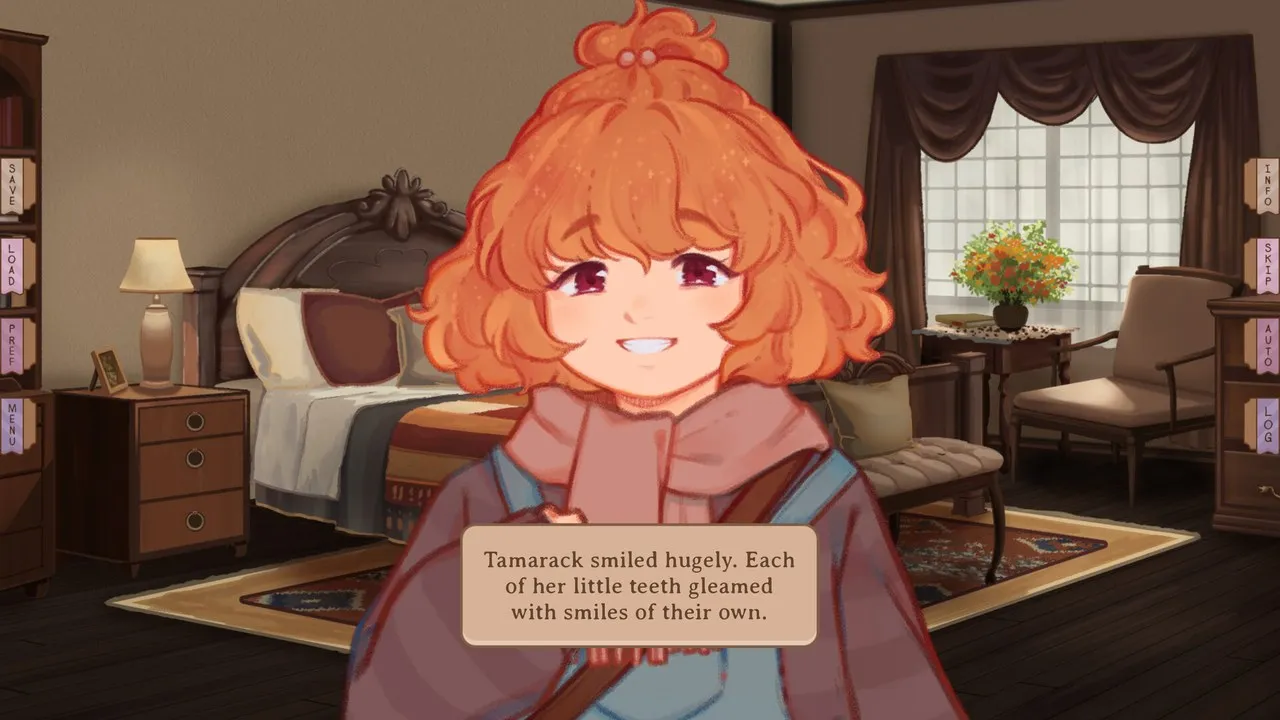
As of 2026-11-28, Our Life: Now & Forever is available on Steam and ships with an official Linux build (v0.1.7.2), so you can install it directly on a Steam Deck. Valve has not published an official Steam Deck Verified or Playable badge yet, and developer GB Patch Games lists native controller and Steam Deck support as a planned Early Access roadmap addition rather than a finished launch-day feature. Until that update lands, handheld play works best with pointer or touchscreen input combined with the game’s built-in text and performance toggles.
Steam Deck Compatibility and Handheld Availability
GB Patch Games released the Early Access version of Our Life: Now & Forever on November 27, 2026 via the official Steam store page and the itch.io release page. That initial launch includes all of Step 1 (childhood) and Step 2 (adolescence) in Golden Grove, following your protagonist alongside next-door neighbors Qiu Lin and Tamarack Baumann across more than 1,100,000 words of branching script.
According to the GB Patch Games press kit and itch.io listing, official platforms cover Windows, Linux, macOS, Android, and Steam (PC). On itch.io, the Windows and Linux release is packaged as a single 1.2 GB download (Version 0.1.7.2), confirming first-party Linux support out of the box. In its official Early Access roadmap, the studio also included performance improvements for lower-powered devices in the November 2026 build while scheduling dedicated controller and Steam Deck support for rollout during Early Access ahead of Step 3 (Mid 2027) and the Step 4 full release (Late 2027).
| Feature / Platform Detail | Status as of 2026-11-28 | Official Source Basis |
|---|---|---|
Steam PC Early Access (v0.1.7.2) |
Available (launched Nov 27, 2026) | Steam store page & itch.io devlog |
| Native Linux Build | Available (1.2 GB Windows/Linux package) | itch.io & GB Patch Games press kit |
| Steam Deck Verified / Playable Badge | Not yet listed | No badge posted on Steam store page |
| Native Controller + Steam Deck Support | Planned (Early Access roadmap) | Official itch.io roadmap devlog |
| Console Handheld Ports (e.g., Switch) | Unconfirmed (considered, no concrete plan) | GB Patch Games devlog comments |
If you are weighing whether to grab the Steam release or download the standalone Linux package for handheld play, check our Steam vs. itch.io comparison before picking up Step expansions. Players looking at non-Steam portable setups also have an official Android build on itch.io, whereas console ports have no confirmed timeline; Apple users can review the iOS availability guide and Mac download guide for separate platform details.
Controls and Navigating Ren’Py on a Handheld
The biggest caveat for Our Life: Now & Forever handheld play right now is input design. In the Early Access roadmap, GB Patch Games explicitly notes that new quality-of-life systems—including controller support, an updated character customization interface, and an updated moment selection UI—will be added as they are finished rather than all at once in the November 27, 2026 release.
Because the visual novel runs on the Ren’Py engine (using standard .rpa content archives and Ren’Py’s built-in self-voicing feature), its Early Access interface assumes mouse or touch input. That matters most in interactive menus rather than standard dialogue scenes:
- Dialogue and choices: Advancing text and picking responses works cleanly with touchscreen taps or trackpad clicks.
- Character creation: Designing your protagonist’s dress-up doll—skin tone, hair, outfits, and accessories—involves clicking through layered menus that feel faster with a pointer than with directional pads.
- Moment selection: Selecting or repositioning moments relies on direct pointer interaction, which is why touchscreen or trackpad-as-mouse input remains more reliable than forcing pure gamepad navigation.
As of 2026-11-28, GB Patch Games has not published an official Steam Deck button layout. Until native controller support ships, sticking with Steam Deck’s trackpad pointer and touch controls—and binding simple mouse clicks through Steam Input if you prefer using triggers—avoids fighting unfinished gamepad focus across menus.

Our Life: Now & Forever Demo Gameplay | First Impressions
Best In-Game Settings for Steam Deck Reading and Stability
Even before the dedicated Steam Deck update arrives, Our Life: Now & Forever includes several built-in display and performance preferences that directly improve handheld sessions. With over 1.1 million words across Steps 1 and 2 alone, tuning text presentation early prevents eye strain on a compact screen.
| In-Game Setting | Location / Availability | Why It Helps on Steam Deck |
|---|---|---|
| Lettering Size | Built-in display options | Scales dialogue larger for comfortable reading on a handheld screen |
| Font Type | Built-in display options | Switches to a cleaner typeface if the default font feels cramped |
| Textbox Arrangement | Built-in display options (2 layouts) | Lets you pick the cleaner layout for a smaller display aspect |
| Self-Voicing | Engine accessibility option | Reads on-screen text aloud if you want audio assistance while playing |
| Disable Animations | Main menu Preferences | Officially recommended by GB Patch Games to boost stability on lower-powered devices |
| Disable Transitions | Main menu Preferences | Reduces scene-switch overhead during long reading sessions |
| Max Text Speed | Main menu Preferences | Cuts rendering strain from character-by-character text drawing |
Those last three tweaks come directly from GB Patch Games’ troubleshooting replies on itch.io: when a player reported the game closing unexpectedly on older hardware, the developer advised opening Preferences from the main menu, turning off all animations, disabling transitions, and setting text speed to maximum.
Watch out for one other confirmed quirk during initial setup: a PC player in the roadmap comments reported freezing when opening hair or clothing options in character creation, which cleared up after restarting and freeing local storage space. If your handheld session stalls in the character creator or shuts down mid-moment, walk through our crash fix guide for additional recovery steps.
Installing Early Access, DLC Archives, and Saves on Steam Deck
A handful of verified launch-day pitfalls affect players setting up the November 27, 2026 build on Steam or Linux. Checking these four details up front saves time:
- Confirm you installed
v0.1.7.2, not the old demo. Several players on Steam mistakenly downloaded the older demo client and saw only earlier preview scenes without the new Step 1 and Step 2 content. Look at the bottom-left corner of the title screen to verify it displaysv0.1.7.2. - Keep DLC purchases on the same storefront. If you buy the Step 1 or Step 2 expansions on Steam, Steam handles installation automatically on Steam Deck. If you install the itch.io Linux package instead, GB Patch Games specifies that you must move
Step1DLC.rpaandStep2DLC.rpadirectly into thegamefolder inside the base game’s main directory. - Check demo save compatibility and local backups. GB Patch Games confirmed that saves from the recent demo carry over into the Early Access release, while very old builds may not. Players on itch.io also report that local save data can share between Steam and itch.io on the same computer, even though DLC ownership does not sync across stores. For manual transfers or backups between a PC and a handheld, use our save file location guide and Sync ID guide.
- Use a clean reinstall if the client fails to boot. When players reported the game refusing to open after updating or adding DLC archives, GB Patch Games recommended deleting the existing installation completely and reinstalling fresh.
One final limitation to note before installing: GB Patch Games confirmed in roadmap comments that Our Life: Now & Forever is English-only, with no official translations or localization planned because of the script’s size.
FAQ
Is Our Life: Now & Forever officially Steam Deck Verified?
As of 2026-11-28, Valve has not listed a Steam Deck Verified or Playable badge on the Steam store page. The game is playable via Steam and has an official Linux build on itch.io, while full controller and Steam Deck support remains scheduled on GB Patch Games’ Early Access roadmap.
Why are Step 1 and Step 2 moments missing after installing on Steam?
Players who see only older preview content typically installed the legacy demo instead of the November 27, 2026 Early Access build. Check the bottom-left corner of the title screen for v0.1.7.2; if it shows an older build, install the main Early Access release from the Steam store page.
Do itch.io DLC purchases sync with the Steam version on Steam Deck?
No. Although local save progress on the same PC can carry between Steam and itch.io, paid DLC entitlements do not transfer across storefronts. To use itch.io expansions (Step1DLC.rpa and Step2DLC.rpa), you must place those files manually inside the game folder of your base game directory.
Related Articles
fixes
Our Life: Now & Forever Save File Location & Sync Guide
Find the Our Life: Now & Forever save folder in game/saves, learn how PC and Android saves carry over, and transfer files via the Sync button.
fixes
Our Life: Now & Forever Sync ID: How Cross-Save Works
Use the in-game Sync button and Sync ID to transfer Our Life: Now & Forever saves between devices, plus key version, Android, and DLC limits.
fixes
Our Life: Now & Forever Crash Fix: Launch & Error Guide
Fix Our Life: Now & Forever crashes, launch blocks, script errors, and Android freezes with verified GB Patch Games fixes for PC and mobile.
Was this helpful?
Thanks for the feedback!